Red Pattern Design Files: What You Get with JPG, EPS, and PNG Downloads
When you see a download labeled “Red Pattern” accompanied by file formats like JPG, EPS, and PNG, it’s easy to assume it’s just a simple background or decorative element. But in reality, this combination represents far more than visual flair—it’s a versatile, production-ready toolkit for designers, marketers, educators, small business owners, and DIY creators alike. Understanding what each format offers—and why having all three matters—empowers you to use the red pattern effectively across print, web, branding, and digital projects.
What Is a Red Pattern—and Why Does It Matter?
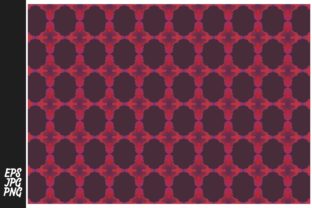
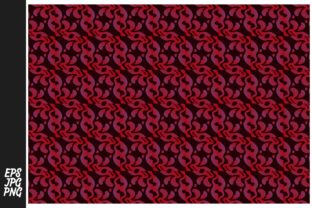
A red pattern refers to a repeating visual motif—geometric, organic, abstract, or illustrative—that uses red as its dominant or defining color. Red carries strong psychological weight: it signals energy, urgency, passion, and attention. That makes red patterns especially effective for call-to-action buttons, sale banners, safety signage, cultural designs (like Chinese New Year motifs), or bold branding elements.
But color alone doesn’t make a pattern useful. Its real value lies in adaptability. A well-designed red pattern isn’t just pretty—it’s scalable, editable, and context-aware. And that’s where the file formats come in.
JPG: The Everyday Workhorse
The JPG (or JPEG) file is the most universally supported image format. It uses lossy compression, meaning some data is discarded to reduce file size—ideal for fast-loading websites, email newsletters, social media posts, or quick presentations.
- Best for: Web banners, blog headers, Instagram story overlays, PowerPoint slides.
- Limitations: Cannot support transparency; not editable at the vector level; quality degrades if resized repeatedly.
- Pro tip: Use the JPG version when speed and compatibility matter more than precision—like sharing a festive red damask pattern for a holiday email campaign.
PNG: Clarity with Transparency
The PNG format preserves sharp edges and supports full alpha transparency—meaning parts of the image can be completely see-through. This is essential when overlaying a red pattern onto photos, gradients, or colored backgrounds without white or gray “halos.”
- Best for: Website icons, app UI elements, product mockups, layered design comps, or any situation where the pattern must blend seamlessly into varied backdrops.
- Limitations: Larger file size than JPG; not suitable for professional print (no CMYK support or embedded color profiles by default).
- Example: A red chevron pattern saved as PNG lets you place it over a sunset photo on your portfolio site—without cropping or masking manually.
EPS: Scalable Precision for Professionals
EPS (Encapsulated PostScript) is a legacy—but still vital—vector format. Unlike JPG and PNG (which are raster images made of pixels), EPS files store graphics as mathematical paths. That means they scale infinitely without blurring or pixelation—perfect for large-format printing, embroidery digitizing, laser cutting templates, or brand asset libraries.
- Best for: Business cards, packaging labels, signage, apparel screen printing, architectural renderings, or any high-resolution output.
- Limitations: Not natively viewable in most web browsers; requires vector editing software (like Adobe Illustrator or CorelDRAW) to modify colors, spacing, or repeat units.
- Key insight: If your red pattern includes fine lines, crisp corners, or text-based elements (e.g., “SALE” integrated into a red stripe), EPS ensures those details stay razor-sharp at any size.
Why Having All Three Formats Is a Strategic Advantage
Think of JPG, PNG, and EPS not as redundant options—but as complementary tools in one cohesive kit. Each serves a distinct role in the creative workflow:
- Concept & Sharing: Start with the JPG to preview, pitch, or share quickly—no special software needed.
- Integration & Refinement: Drop the PNG into Figma, Canva, or Photoshop to layer, mask, or animate without background interference.
- Production & Expansion: Open the EPS in Illustrator to recolor the red to match your brand’s exact Pantone, adjust tile spacing, export SVG for responsive web use, or break the pattern into individual motifs for custom illustrations.
This flexibility saves time, reduces licensing friction, and future-proofs your design investments. For instance, a café owner might use the JPG for their Facebook cover photo, the PNG to overlay a red polka-dot pattern on takeout bag mockups, and the EPS to engrave the same pattern onto ceramic mugs—ensuring consistency from social feed to storefront.
Common Misconceptions About Pattern Downloads
It’s easy to misunderstand what a “pattern download” truly delivers. Here are a few clarifications:
- “A pattern is just one image”—not quite. True seamless patterns repeat both horizontally and vertically. The included files reflect a single tile—not a full-wall wallpaper image—so you can control scale, offset, and density in your editing software.
- “Red means ‘urgent’—so it’s only for sales.” While red does drive attention, culturally nuanced red patterns (like Japanese seigaiha waves or Scandinavian folk motifs) evoke tradition, warmth, or celebration—making them ideal for wedding invites, cultural education materials, or artisanal packaging.
- “If I have PNG, I don’t need EPS.” Wrong. PNG gives you transparency—but not scalability. Enlarging a 2000×2000 px PNG to fit a 10-ft trade show banner will result in visible pixelation. EPS eliminates that risk entirely.
Real-World Applications Across Industries
Red patterns aren’t niche—they’re cross-functional. Consider how professionals use them daily:
- Educators: Print red graph paper (EPS) for math worksheets; add PNG versions to interactive Google Slides lessons on color theory or symmetry.
- Small Businesses: Apply the JPG to Etsy listing banners; use the PNG for transparent watermarks on product photos; leverage EPS to embroider red floral patterns onto aprons or tote bags.
- UX Designers: Import the PNG into design systems as a loading-state texture; convert EPS paths to SVG for CSS background-repeat animations.
- Print-on-Demand Creators: Upload the EPS to platforms like Printful or Gelato to auto-generate red-patterned phone cases, notebooks, or wall art—knowing resolution won’t compromise quality.
Getting the Most From Your Red Pattern Download
To maximize value, follow these practical steps after downloading:
- Organize by use-case: Create folders named “Web,” “Print,” and “Edit” to store JPG, PNG, and EPS respectively.
- Test transparency: Open the PNG in a free tool like Photopea.com and drag it over a colored layer—verify edges are clean and background vanishes completely.
- Check tile alignment: In Illustrator, place the EPS, then go Object > Pattern > Make to confirm seamless tiling. Adjust spacing if needed before exporting new variants.
- Document your red: Note the HEX (#C00000), RGB (192, 0, 0), and CMYK (0, 100, 100, 25) values used—helpful for brand consistency across teams.
Remember: A red pattern isn’t just decoration. It’s a communication tool, a production asset, and a scalable expression of identity. When paired with the right file formats—JPG for reach, PNG for integration, and EPS for precision—you’re no longer just downloading an image. You’re acquiring creative infrastructure.
Whether you're launching a new product line, refreshing classroom resources, or building a personal brand, understanding the purpose behind each file type transforms a simple download into a strategic advantage—one red tile at a time.